Tickets make it easier to turn important comments into clear, trackable follow up without creating a separate list, spreadsheet, or manual process to keep track of what needs attention. No more searching through comments to find an issue you meant to revisit, keeping notes somewhere else, or trying to remember whether a concern has already been addressed!
When feedback requires additional action, you can create a Ticket directly from the comment, keeping the original feedback, context, and follow up connected in one place. This gives your team greater visibility into what needs attention, what's already being worked on, and what still needs to happen.
| How can Tickets help my workflow in ParentPulse? |
For school and district teams, Tickets can help you:
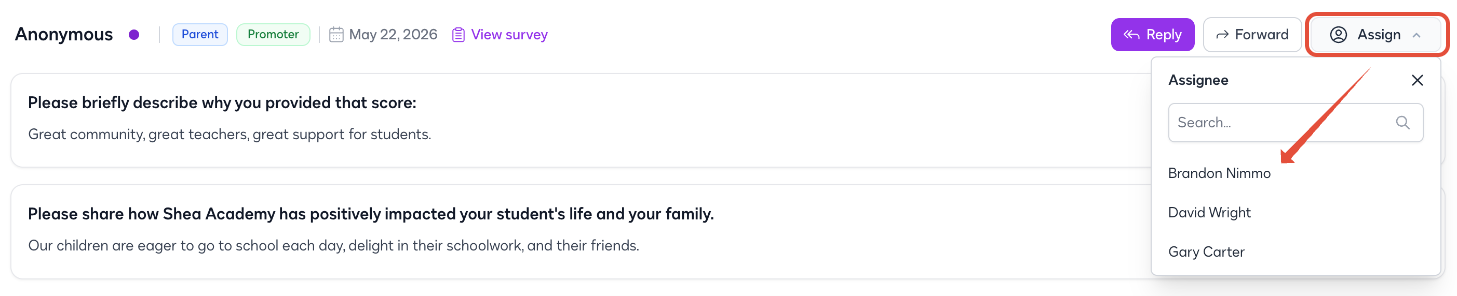 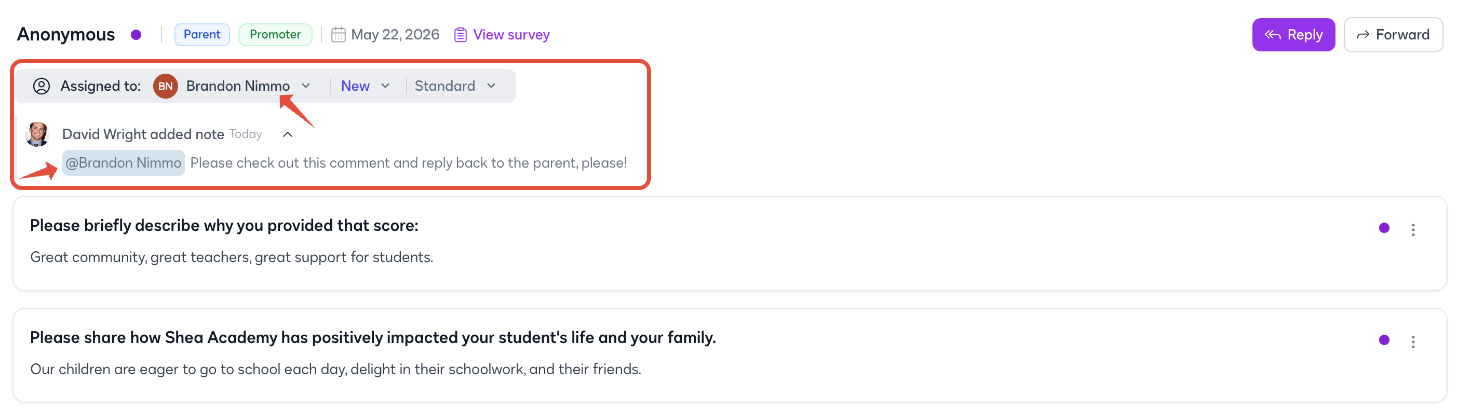 Let's say a family leaves a comment about an ongoing academic concern that requires additional investigation. Instead of adding it to a separate spreadsheet, emailing the comment to a colleague, or trying to remember to check back later, you can create a Ticket directly from the comment, assign it to an academic leader, and track the follow up through resolution—all while keeping the family's original feedback connected! Ready to get started with Tickets? Check out these next steps and the guided tour!
|
Was this article helpful?
That’s Great!
Thank you for your feedback
Sorry! We couldn't be helpful
Thank you for your feedback
Feedback sent
We appreciate your effort and will try to fix the article