| Ever hit send a little too quickly and immediately wish you could take it back? Whether it’s a half finished thought, a message you want to rethink, a typo, sending something to the wrong recipient, or sharing info that needs a quick tweak, ParentPulse has you covered! With our Unsend Comments feature, you can instantly recall a comment reply within a few seconds of hitting send. No stress, no awkward follow ups — just a simple way to make sure your communication says exactly what you want it to. | |
 | It’s a small safety net that can make a big difference, helping you stay confident and polished when engaging with parents, staff, or colleagues in any scenario. Check out our best practices for managing parent comments and discover tips to keep every interaction smooth, timely, and stress free! |
| How to Unsend Comment Replies | ||
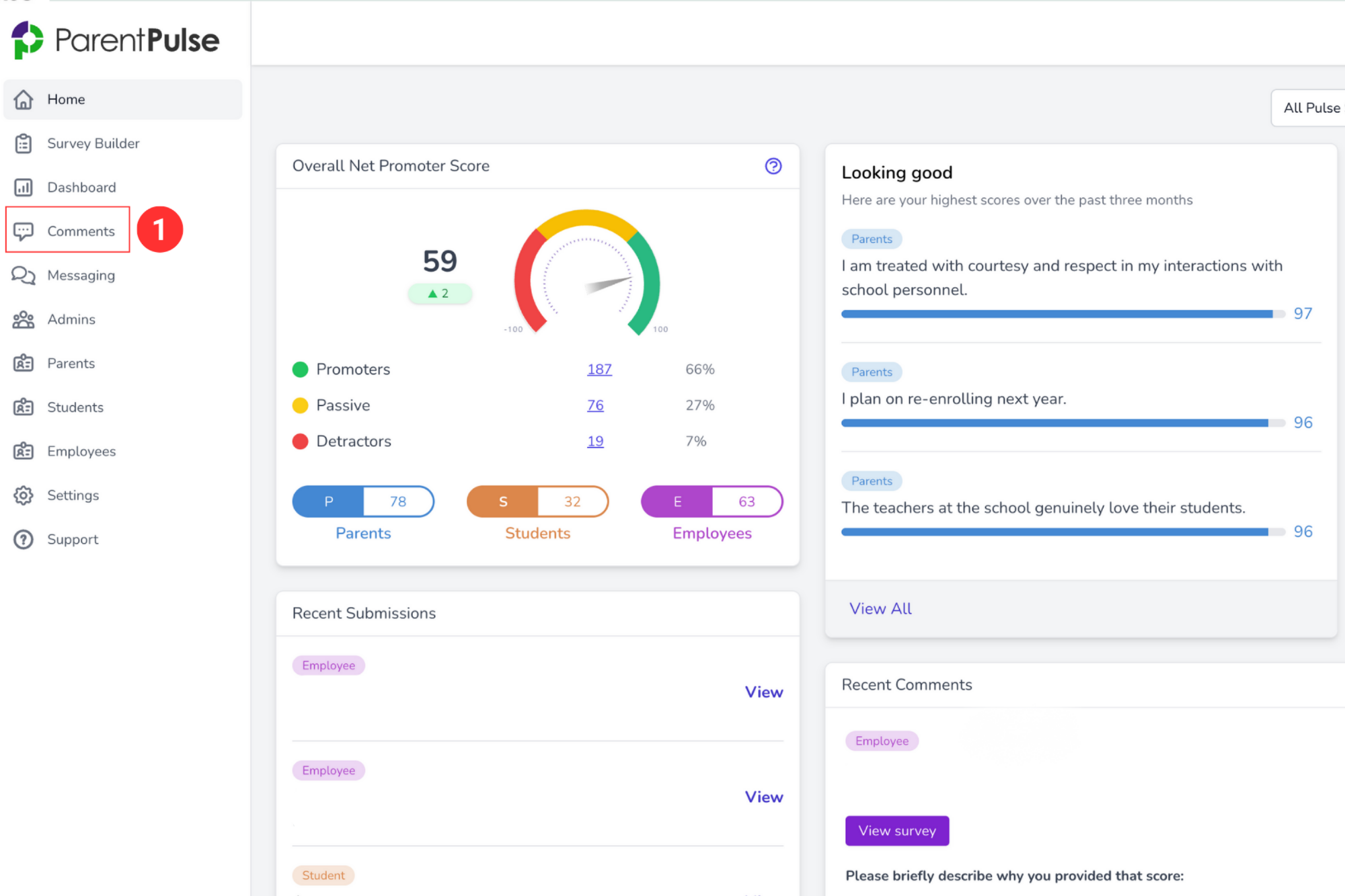
| 1. | Navigate to the Comments section. | |
 | ||
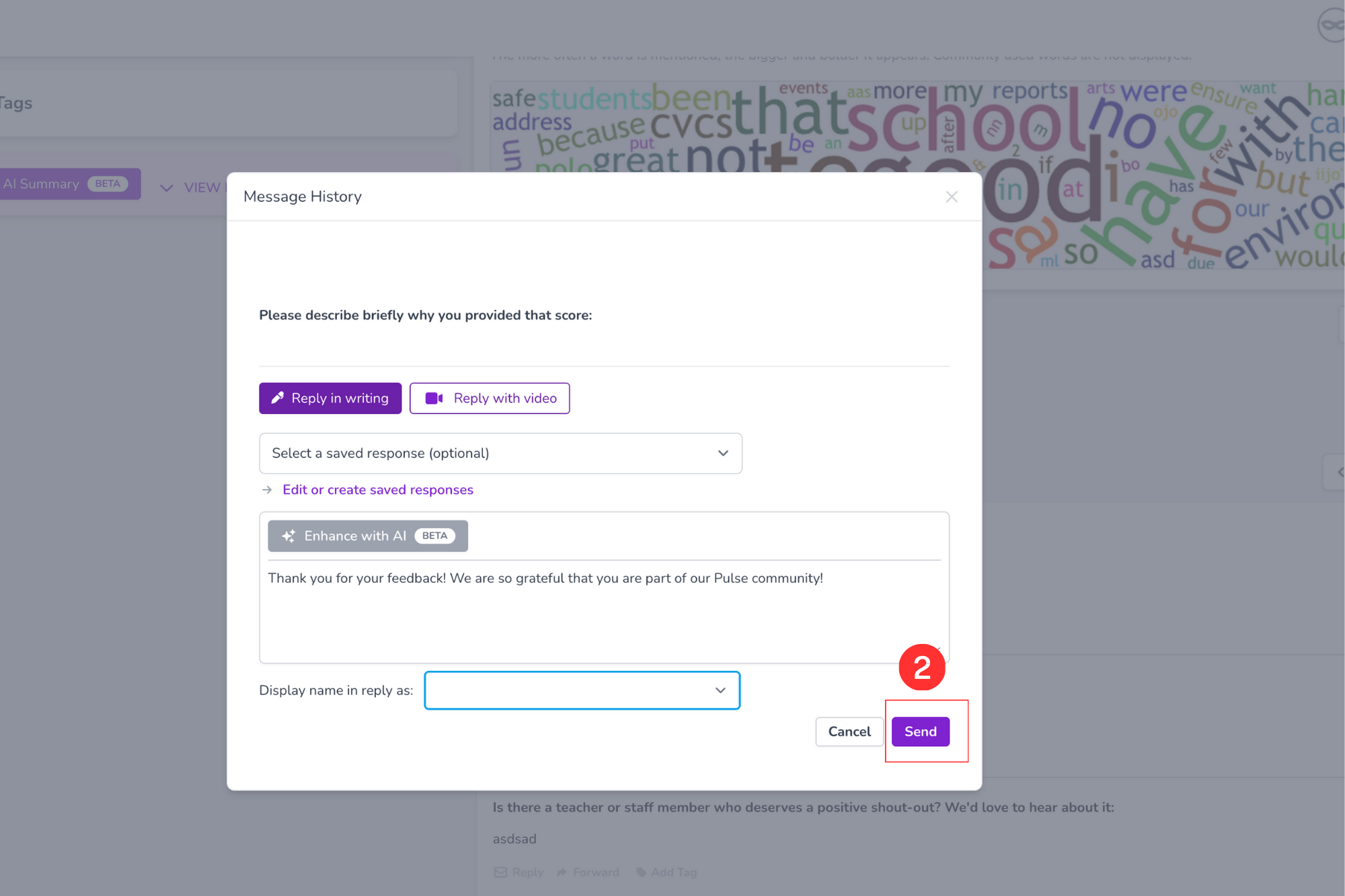
| 2. | Reply to a comment and click Send. | |
 | ||
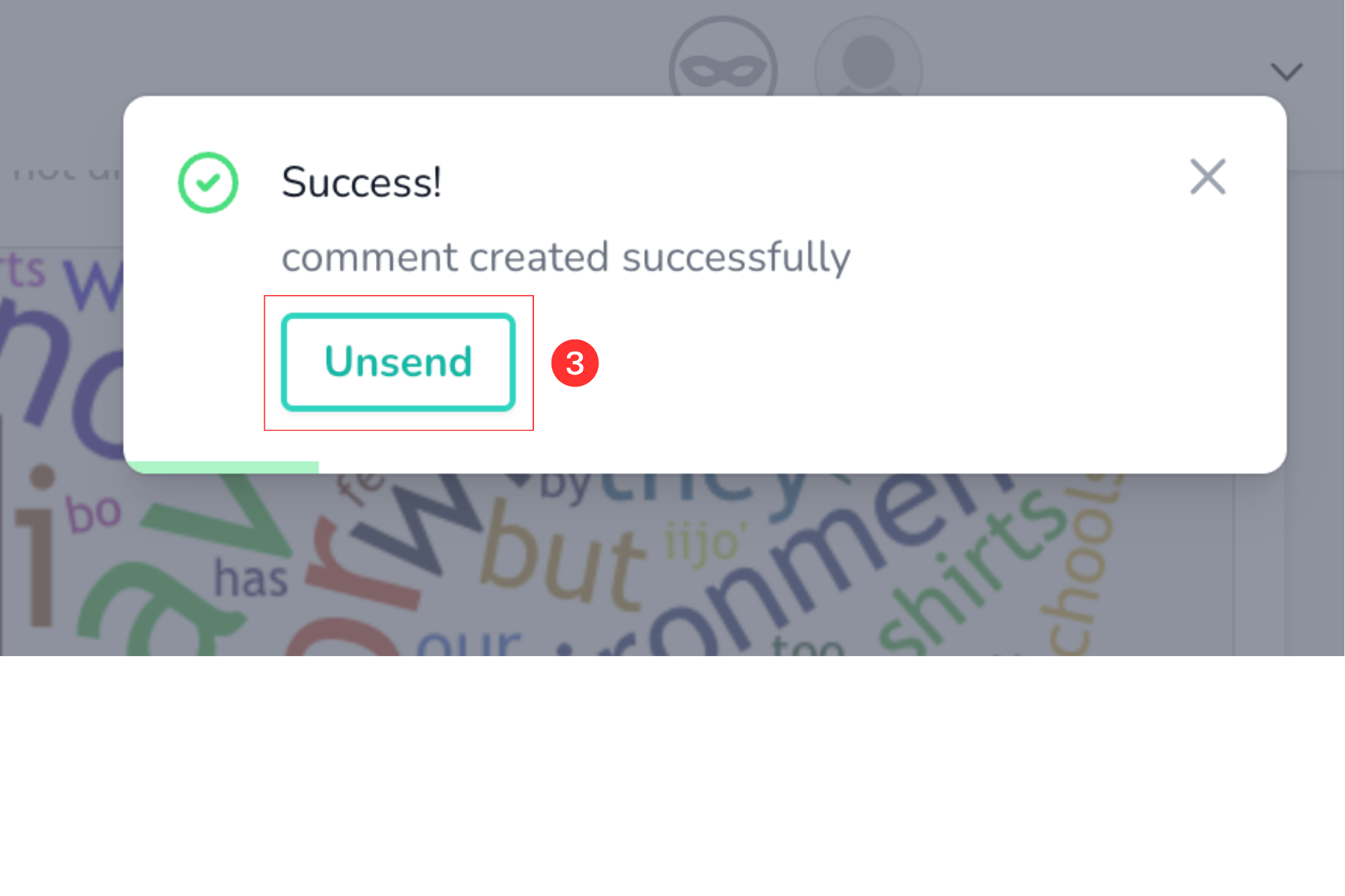
| 3. | Look for the Unsend pop up to appear in the upper right hand window. Click Unsend within a few seconds to recall your message. | |
 | ||
Was this article helpful?
That’s Great!
Thank you for your feedback
Sorry! We couldn't be helpful
Thank you for your feedback
Feedback sent
We appreciate your effort and will try to fix the article